

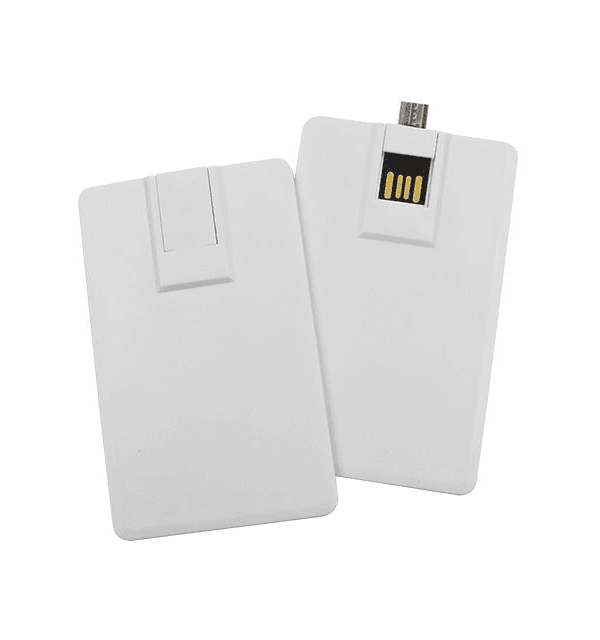
USB-C Credit Card
Flash Drive Dimensions: 84*52MM,
Print Area: 84*52MM
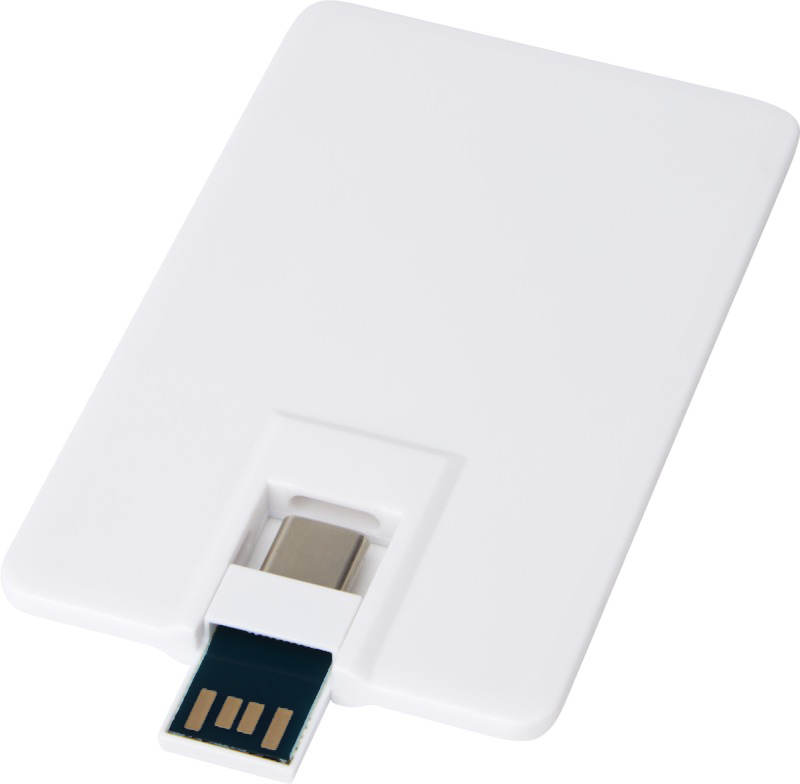
The USB-C Credit Card Flash Drive is a modern and stylish solution for data storage, offering a combination of convenience, portability, and customization. Designed to fit seamlessly into your wallet, this slim and compact drive is perfect for users on the go. With dual USB connectors, it is compatible with a wide range of devices, including Android smartphones, computers, MacBooks, tablets, and PCs, supporting both USB 2.0 and USB 3.0 interfaces. Available in white, this credit card-shaped drive can be customized with full-color printing on both sides, making it an excellent choice for promotional purposes or personal use.
USB-C Credit Card | Key Features
| Feature | Description |
| Slim and Portable Design | Compact and wallet-friendly, this flash drive is designed for easy portability and convenience. |
| Dual USB Connectors | Compatible with Type-A, Type-B, USB 2.0, and USB 3.0 USB Type-C devices, eliminating the need for extra cables. |
| Full-Color Printing | High-quality, full-color printing available on both sides, perfect for branding or customization. |
| High-Speed Data Transfer | Supports fast data transfer speeds, ensuring efficient and reliable file management. |
| Wide Compatibility | Works seamlessly with Android smartphones, computers, MacBooks, tablets, and PCs. |
USB-C Credit Card | Specifications
| Feature | Description |
| Dimensions | 84 x 52 x 5 mm |
| Material | Plastic |
| Weight | 10g |
| Capacity | 8GB, 16GB, 32GB, 128GB |
| Compatibility | Compatible with PCs, Macs, Android devices, smartphones, and other devices with USB and USB-C ports |
USB-C Credit Card | Use Cases
| Feature | Description |
| Promotional Use | Ideal for branding and giveaways, this flash drive serves as a practical and stylish promotional item. |
| Personal Use | Perfect for storing and transferring personal files, such as photos, videos, and documents. |
| Business Use | Great for professionals needing a portable and customizable storage solution for presentations and data sharing |
USB-C Credit Card | Branding Opportunities
| Feature | Description |
| Customizable | Full-color printing options on both sides make this drive perfect for showcasing your company logo or design. |
| Brand Visibility | The slim and sleek design provides ample space for branding, ensuring your company stands out. |
The USB-C Credit Card Flash Drive combines sleek design with practical functionality, making it a standout choice for both personal and promotional use. With its customizable features and versatile compatibility, this drive is perfect for anyone needing a reliable and stylish storage solution.
How to Place an Order and Send Your Files
After placing your order, you'll need to share your art and content with us.
Artwork: You can easily share your artwork with using the upload section in the order form, uploading it through our server, or if using your own file sharing system, email a link to our graphics team at graphics@mediaxpress.net. Be sure to reference your invoice or online order number.
Upon receipt of your files, our graphics team reviews the sent files and checks to make sure they are set up properly. If any issues are found, the graphics team or your sales representative will contact you immediately to assist in correcting the problems
Graphic Specifications & Templates: Artwork shared must be setup in proper templates and following our graphic specifications. You may be charged for additional graphics work required to setup your files.
Graphic Revisions: One safety proof is included with your order. If you have revisions or require another proof to be sent will be a $45 dollar charge. Additional charges will be incurred under the following circumstances.
Art is not fitted properly into a template
Image does not have any “bleeds”
Improper resolution (e.g., too low of resolution)
Additional typesetting required
Once we have received your files, you will receive a digital PDF proof from graphics@mediaxpress.net. Please be sure to review the proof in its entirety, including the text. Upon receipt of your final approval, we will send your job to press exactly as you have approved it. So, take time to look over your proofs carefully!
* If you prefer to receive a production sample as your proof, please contact the graphics team or your sales representative.
Content: The easiest, most cost effective way to send us your content is to upload your files. Send your files to our server at https://mediaxpress.net/upload-file/. If using your own file sharing tool, send a link to graphics@mediaxpress.net or your customer service representative.
You may also mail us your content. We recommend using a service that provides a tracking number. Please reference any invoice, estimate or online order number you have received.
Your content must fit within our content specifications. Please see below for our full content specifications:
Color
- When using Pantone® colors, provide the numbers. If you are unsure about your Pantone® color selections, please contact us for assistance at: 800.879.8273 or graphics@www.mediaxpress.net.
- Any spot colors must be designated in the colors palette by a Pantone® solid-coated color with a PMS number.
Fonts
- Include all fonts with your file. Or, outline all fonts before saving your file.
Fonts are limited in size by the silkscreening process.
Spot Colors:
4 pt. minimum in positive
5 pt minimum in negative (knockout)
4-Color Process:
6 pt minimum in positive
7 pt minimum in negative (knockout)
Halftones:
7 pt minimum in positive
7 pt minimum in negative (knockout)
Artwork
- Send a color hardcopy proof with all artwork.
- Send vector-based artwork when possible. If vector-based artwork is not possible, 300 DPI is the minimum resolution of all raster artwork.
- Save all artwork in CMYK gamut whenever possible; RGB gamut artwork may require manipulation and result in different appearance of colors upon printing.
- Artwork in Pantone® or Duotone gamut will be accepted, but needs to be saved and setup correctly as an EPS or native file.
Note: Preferred development applications are: Adobe Illustrator, Photoshop, and InDesign.
Silkscreening
- The MediaXpress screen press can accommodate any combination of up to 5 colors.
- When screen printing on CD media without a white flood under process inks, colors WILL NOT appear the same as they do on paper.
Be advised that although every effort will be made to make an exact color match, the nature of screen printing on the surface of CD media will cause slight variations. Example: Pantone® and other process tints that are less than 15% are unlikely to screen properly. Tints less than 10% may not screen print. Tints of 85% or higher may screen as a solid color.
There are a lot of different audio and video files out there. Here’s what you need to know:
- Files must be no larger than 25GB. In the event your content is over the limit please contact your sales representative for FTP login information.
- Audio files must be submitted as .WAV, .AIFF, .MP3 or .FLAC
- Audio tracks should be named, and numbered exactly as you would like them to appear on your CD
- DVD content must be properly authored prior to upload. Acceptable file types include .ISO and .IMG. (Contact us if your project requires our authoring services.)
- When uploading files to our website, you are solely responsible for accuracy or inaccuracy of the media content. Any and all special instructions for master creation should be given at the time of the data upload. (You must notify us of any revisions or new content you upload.)
A physical disc for content approval may be sent to you upon request. Standard shipping rates apply.
If you do not wish to review a physical sample, you are solely responsible for the accuracy or inaccuracy of the master and its content.